01 — LIBRARY
Everything starts organised
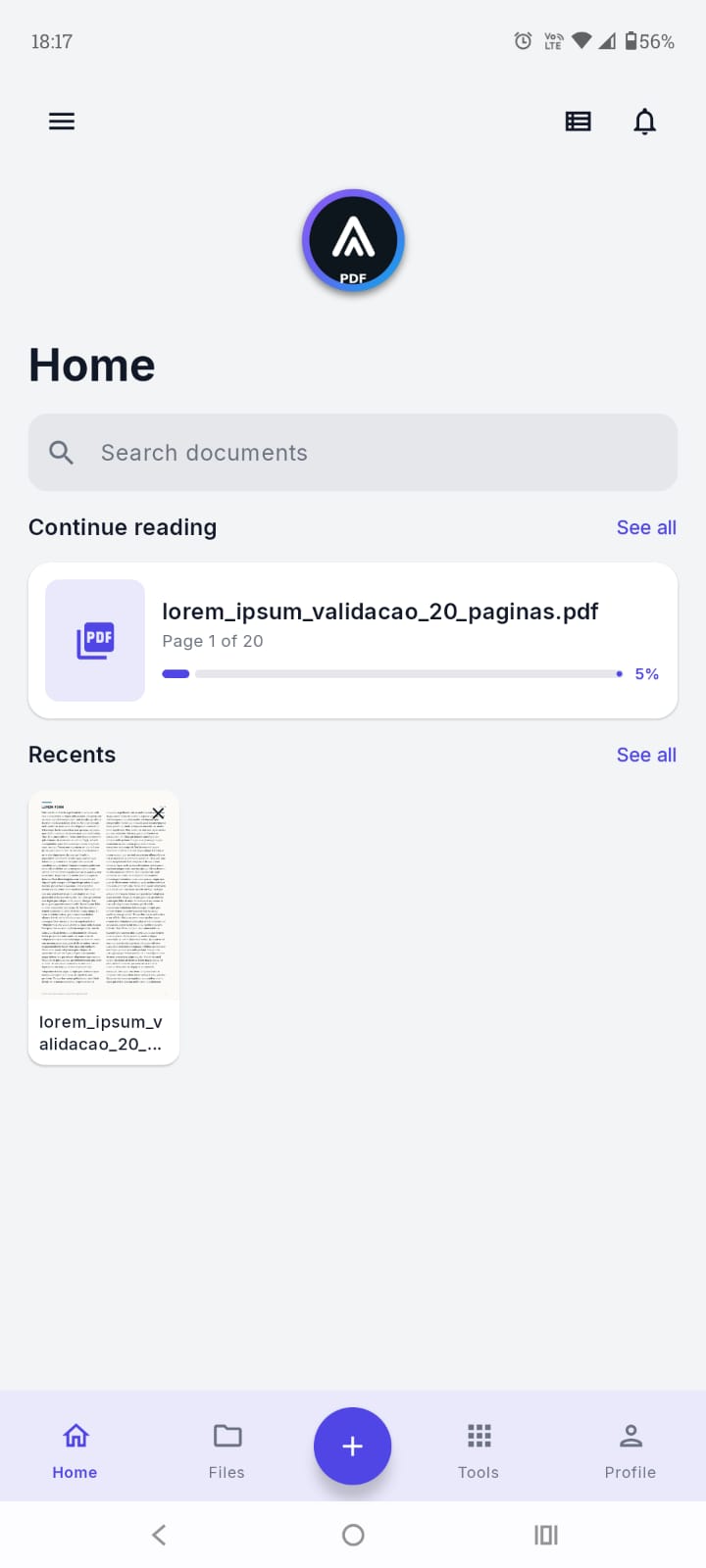
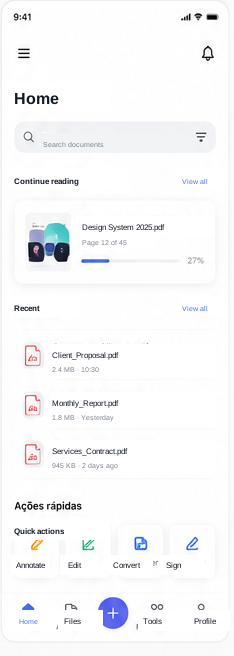
Continue where you left off, find recent files, and reach your most-used tools from the home screen.
- Recents and favourites
- Quick actions
LOCAL PROCESSING · ANDROID
Read, edit, sign, and organise documents on your device. External storage is optional and remains under your control.
01 / 05
FEATURES
Everything you need for PDFs, without ads or automatic uploads.
01 / 01 · FREE × PRO

Free
Read, search, protect, and organise documents from the first use.
PRO
Convert, annotate, sign, compress, scan, and organise with advanced tools.
02 / 05
THE PRODUCT
A clear interface for finding, reading, and acting without endless menus.
Continue where you left off, find recent files, and reach your most-used tools from the home screen.
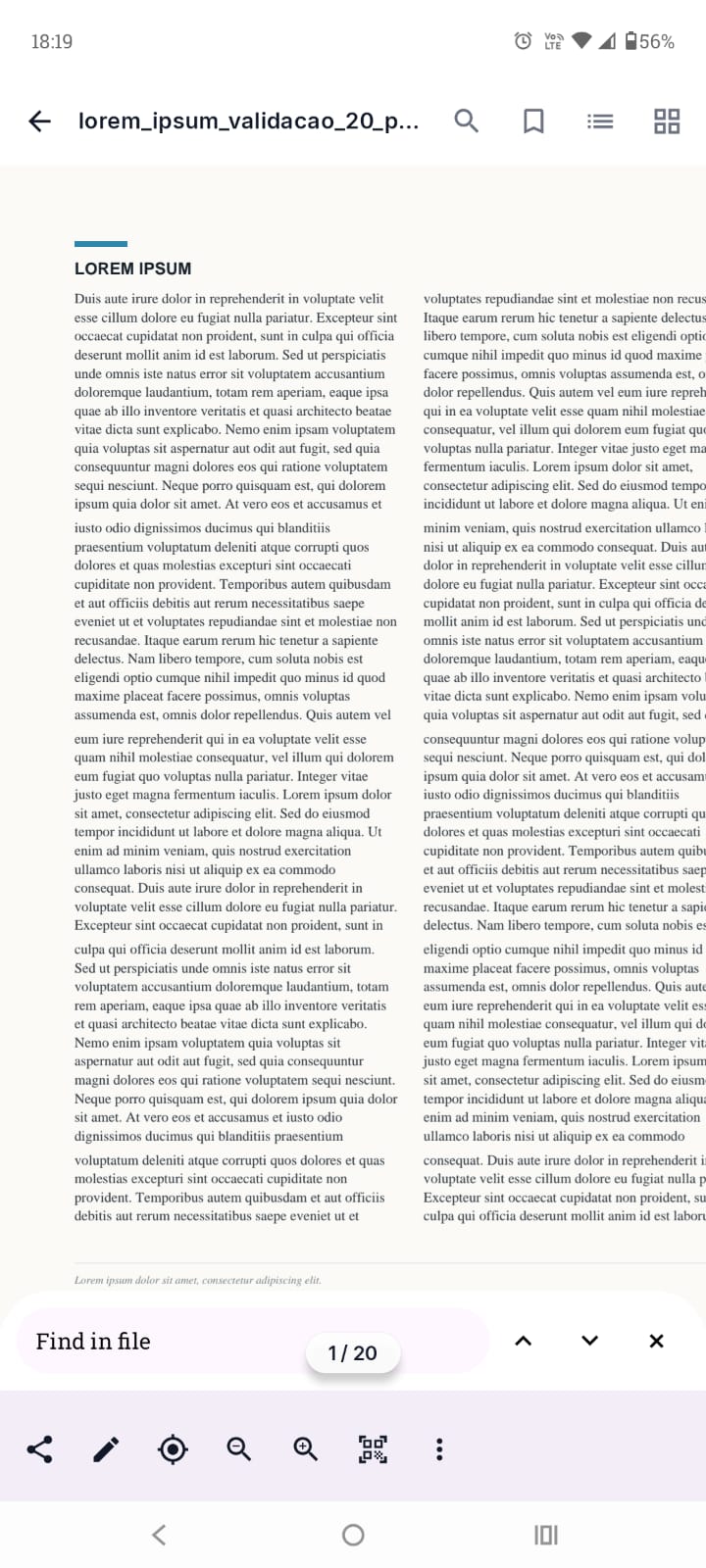
Navigate your document, search content, and adjust the view while keeping important actions close.
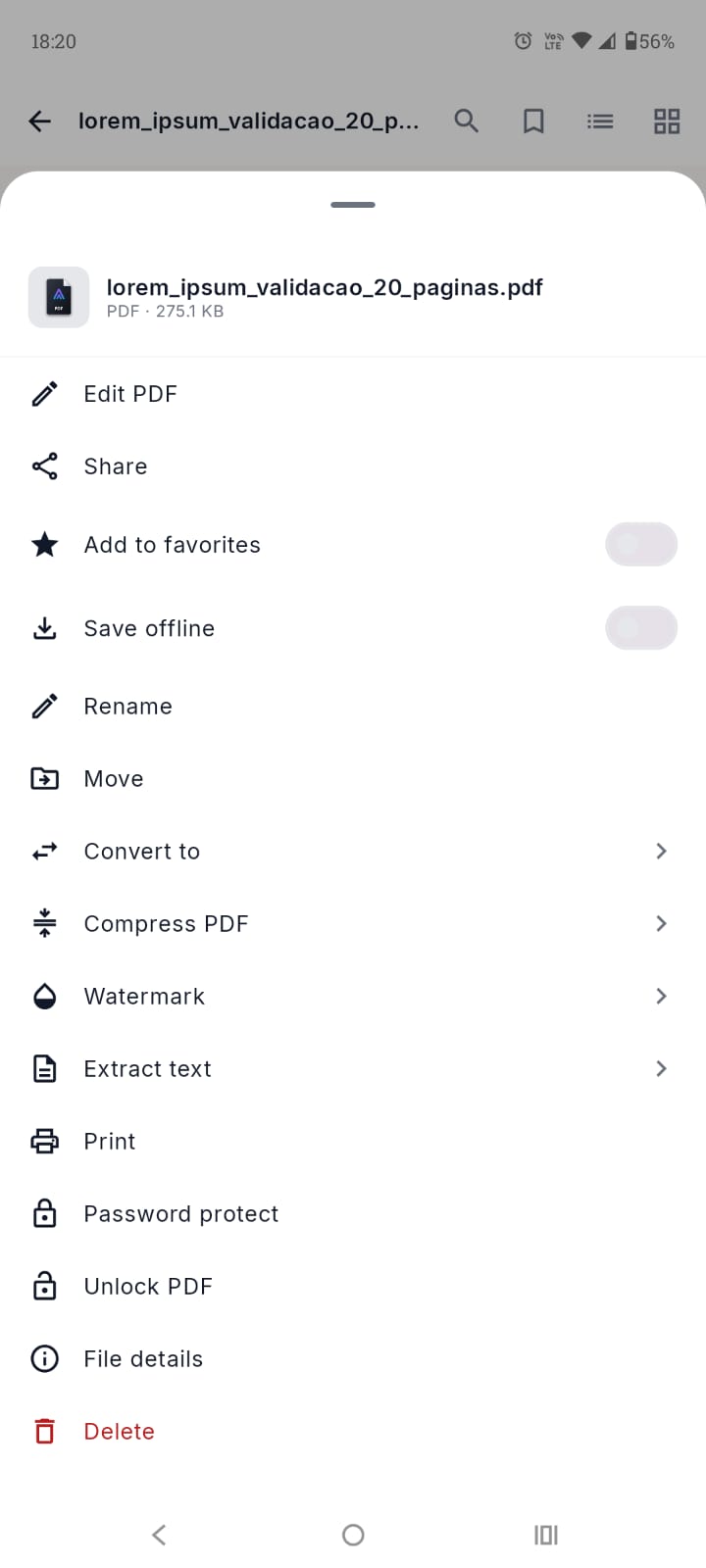
Share, convert, protect, print, or reorganise a PDF without relying on external services.
03 / 05
CURRENT APP SCREENS
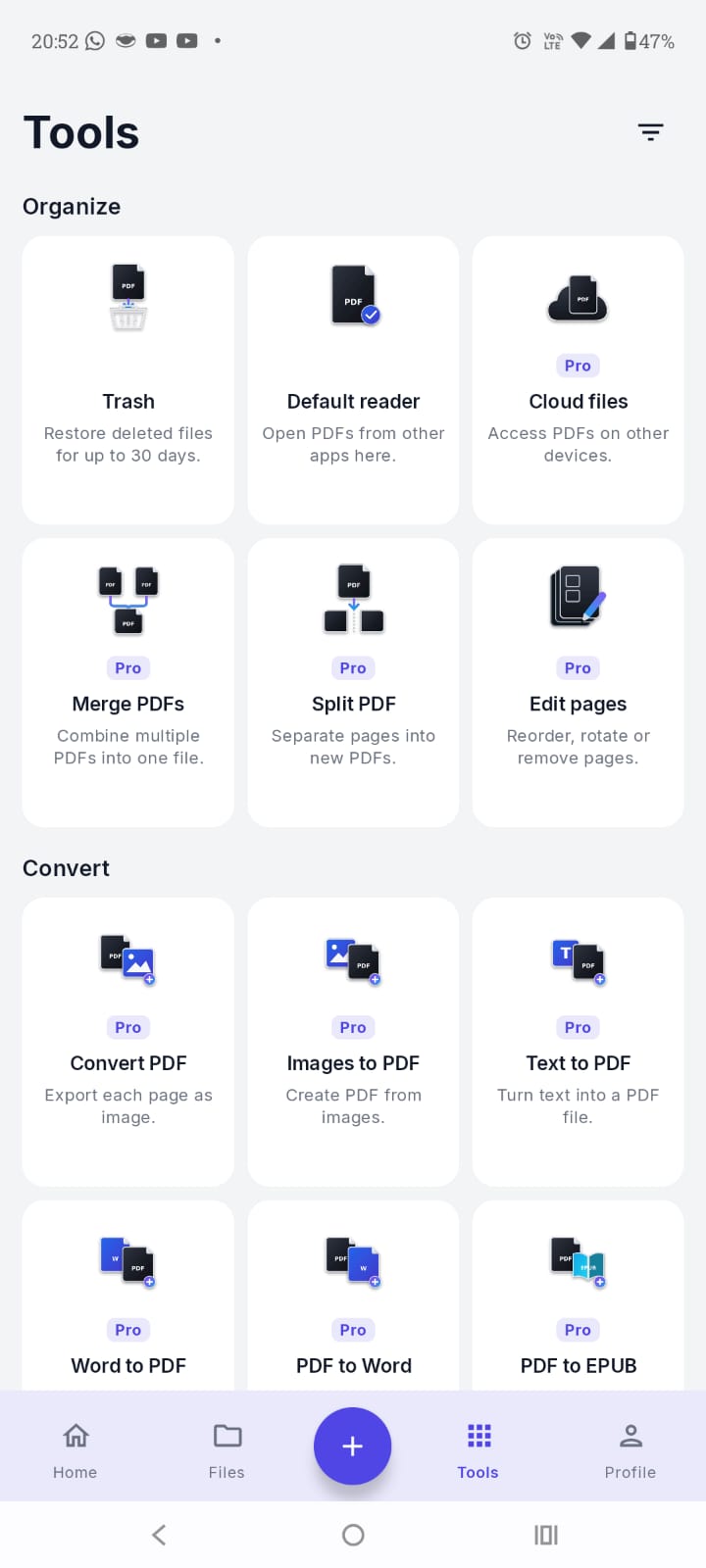
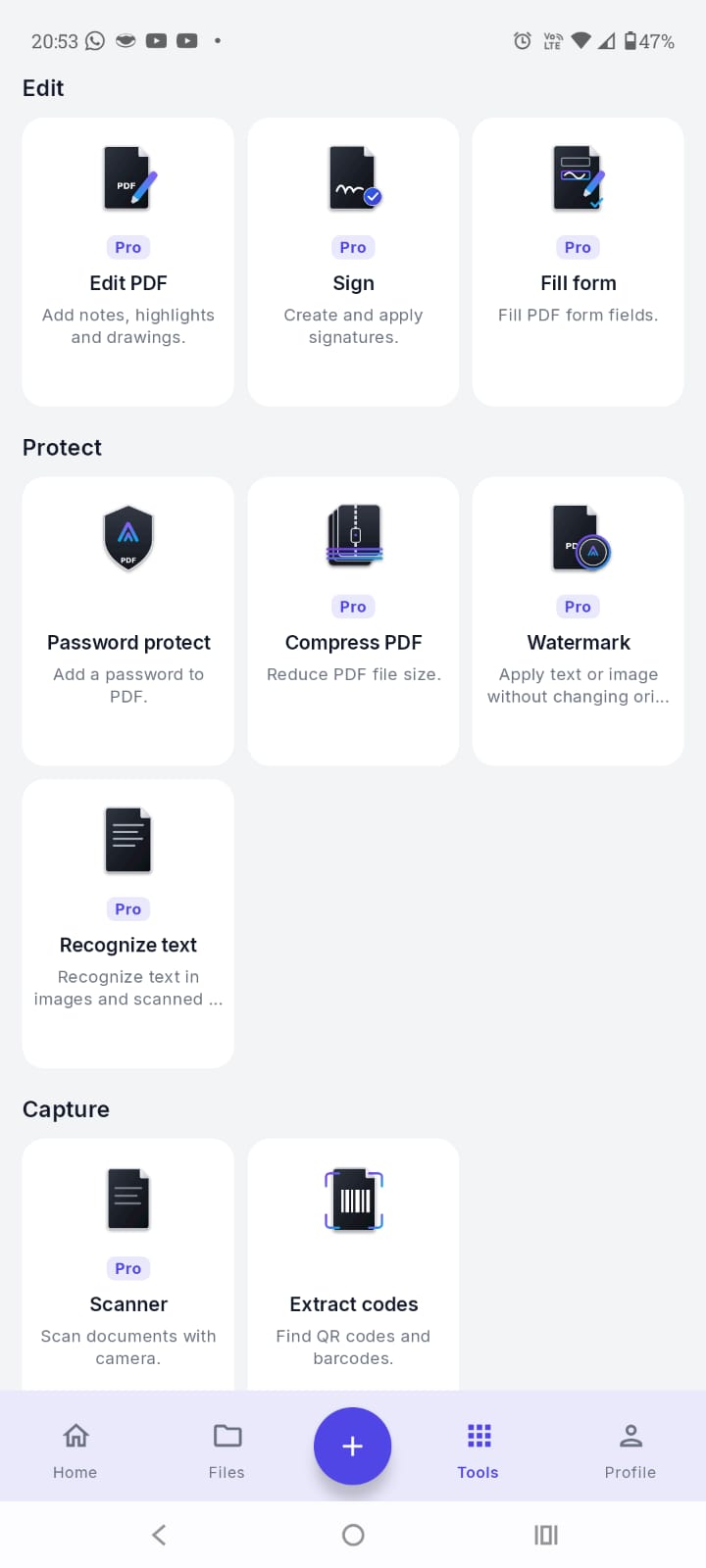
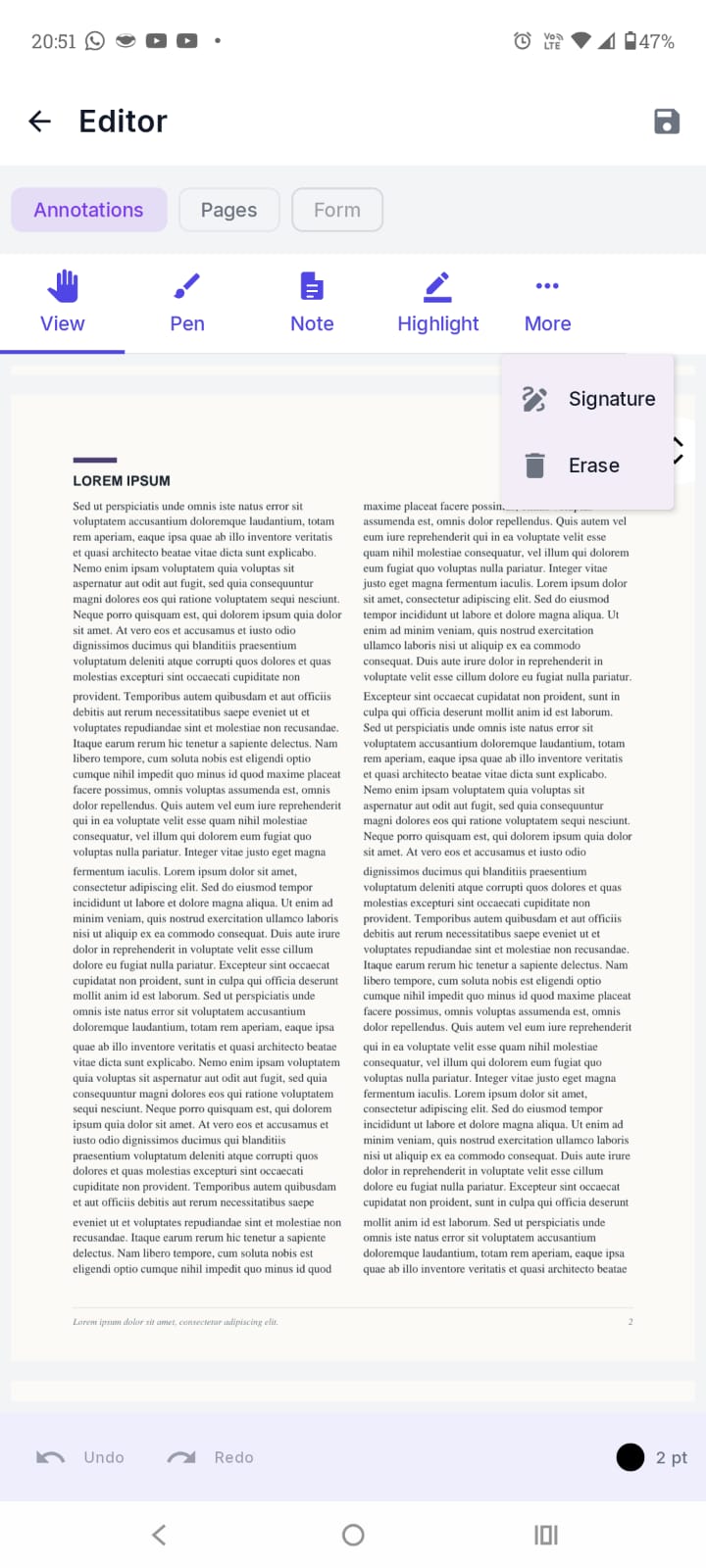
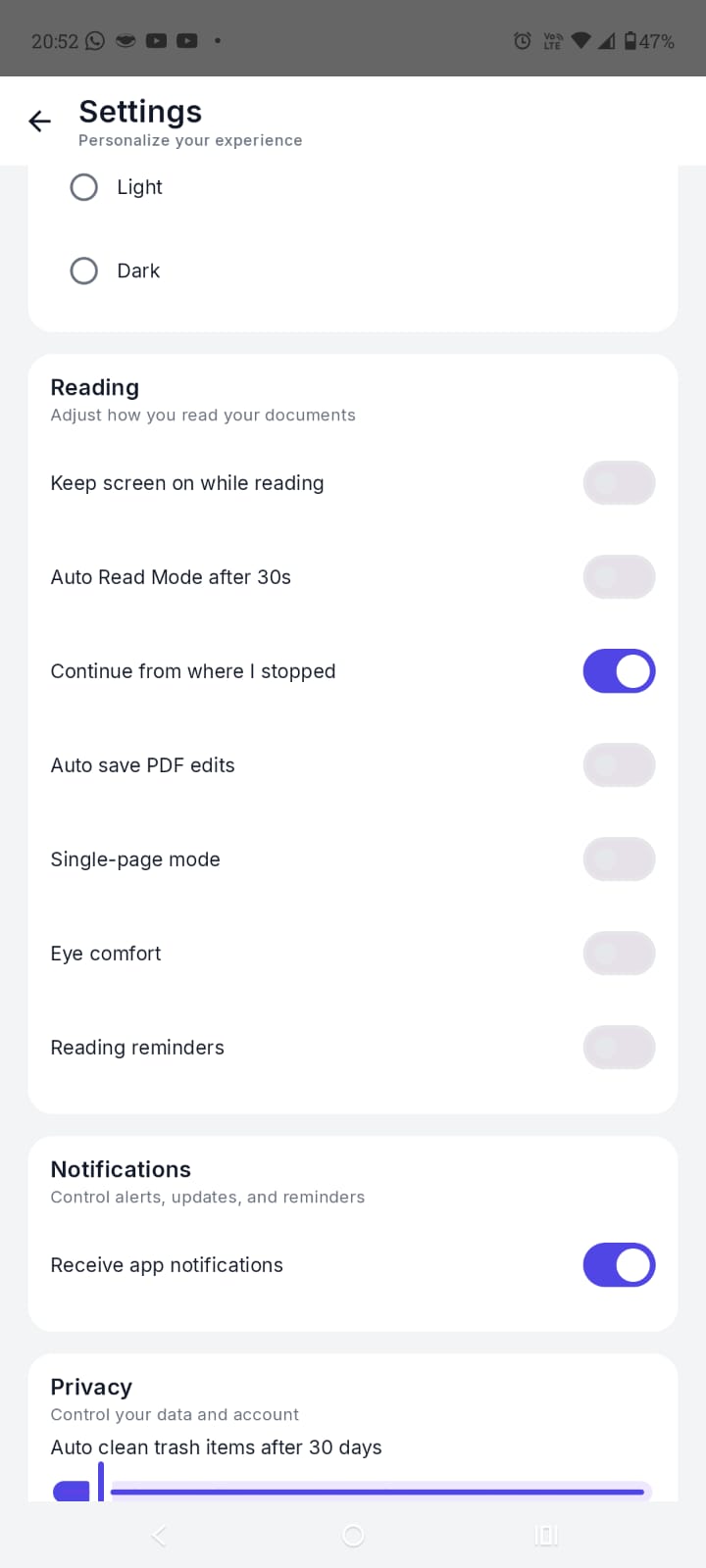
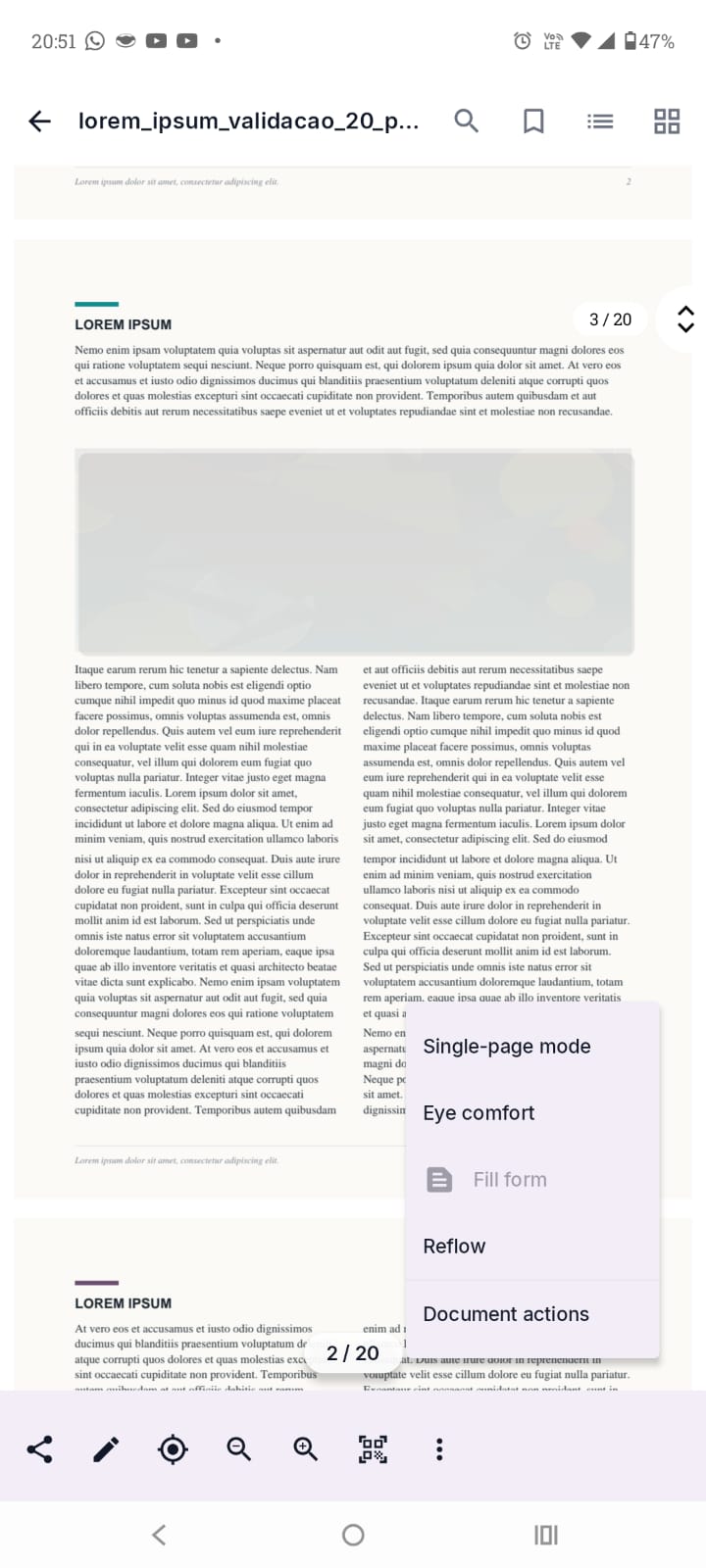
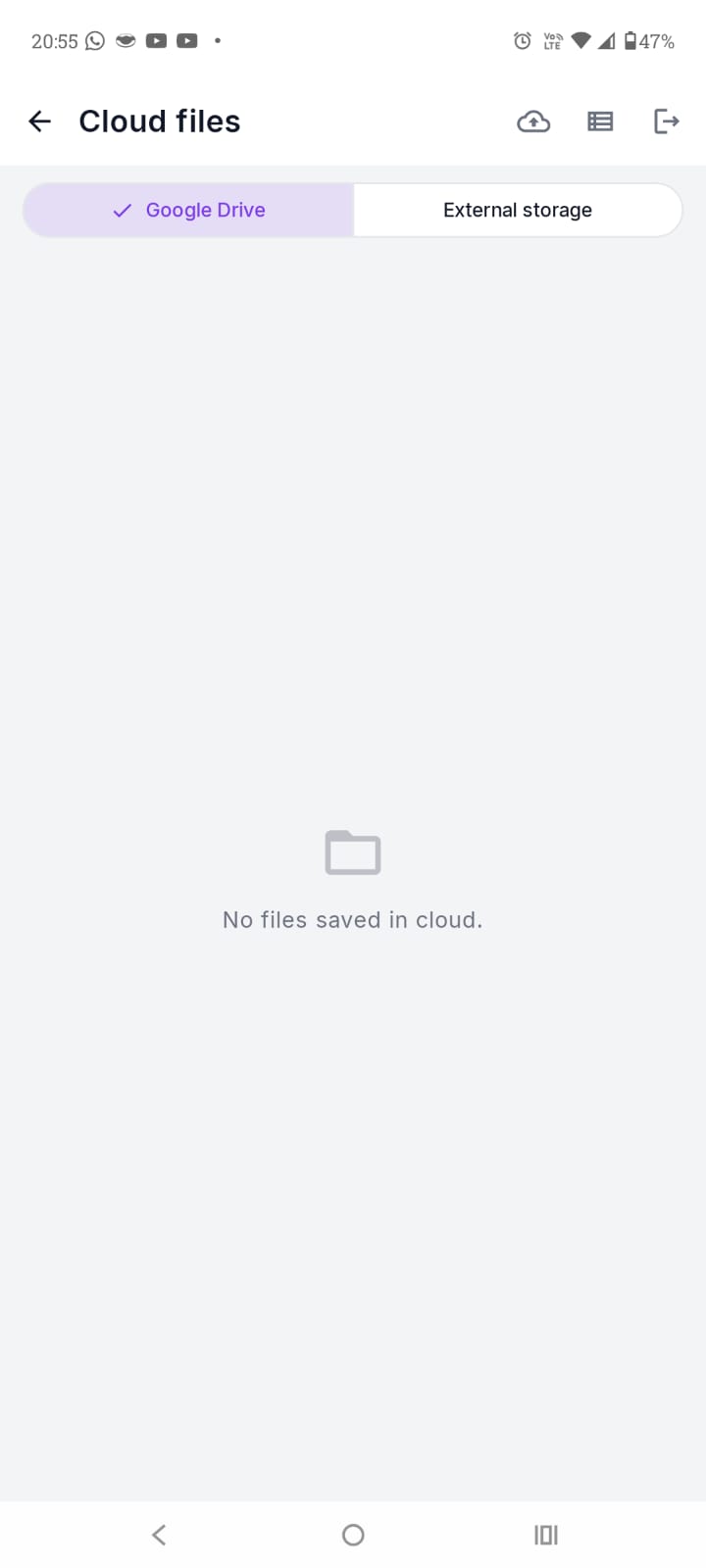
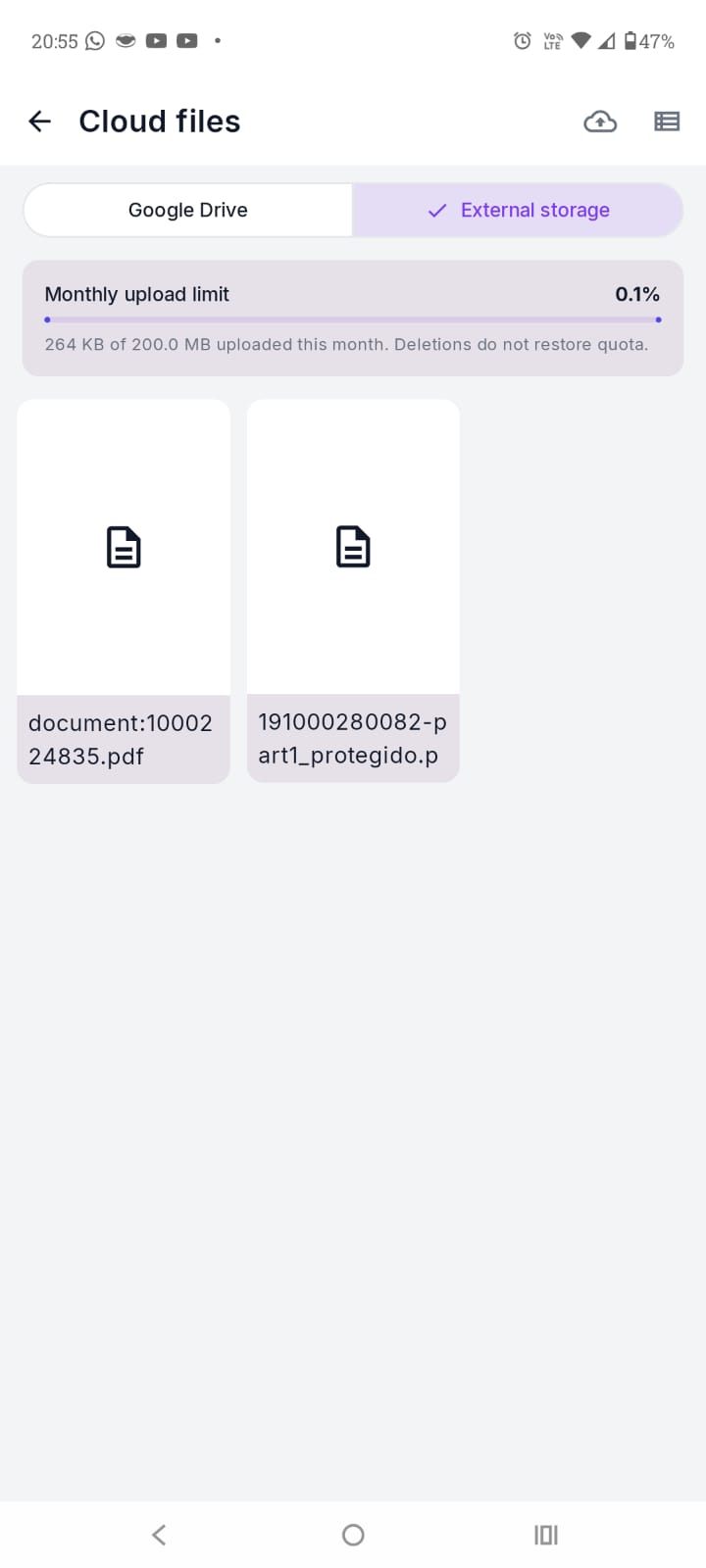
These screens show the tools, editing, automatic trash cleanup, reflow, and both storage providers.
04 / 05
PRIVACY FIRST
Operations happen locally by default. Files are sent to Google Drive or External Storage only when you authorise it.
Privacy firstOperations happen locally by default. Files are sent to Google Drive or External Storage only when you authorise it.
05 / 05
ARCHPDF PRO
Start free and unlock Pro when you need advanced tools.
01
Pro access for 24 hours. External Storage uploads are unavailable.
02
Introductory offer for one month. The regular price is shown below.
Recommended
03
Introductory offer for one year. The regular price is shown below.
04
One purchase with no automatic renewal.
Google Drive uses your Google account quota. External Storage limits renew monthly according to your plan.
Manage your plan when you need to Monthly and annual subscriptions renew automatically and can be cancelled in Google Play. Daily and lifetime purchases do not renew automatically. Terms of Use
READY FOR YOUR NEXT DOCUMENT?