LOCAL PROCESSING · ANDROID

ArchPDF — Your PDFs.
Under your control.

Read, edit, sign, and organize documents on your device. External storage is optional and remains under your control.
  • 01Local processing by default
  • 02Zero ads
  • 03Offline reading
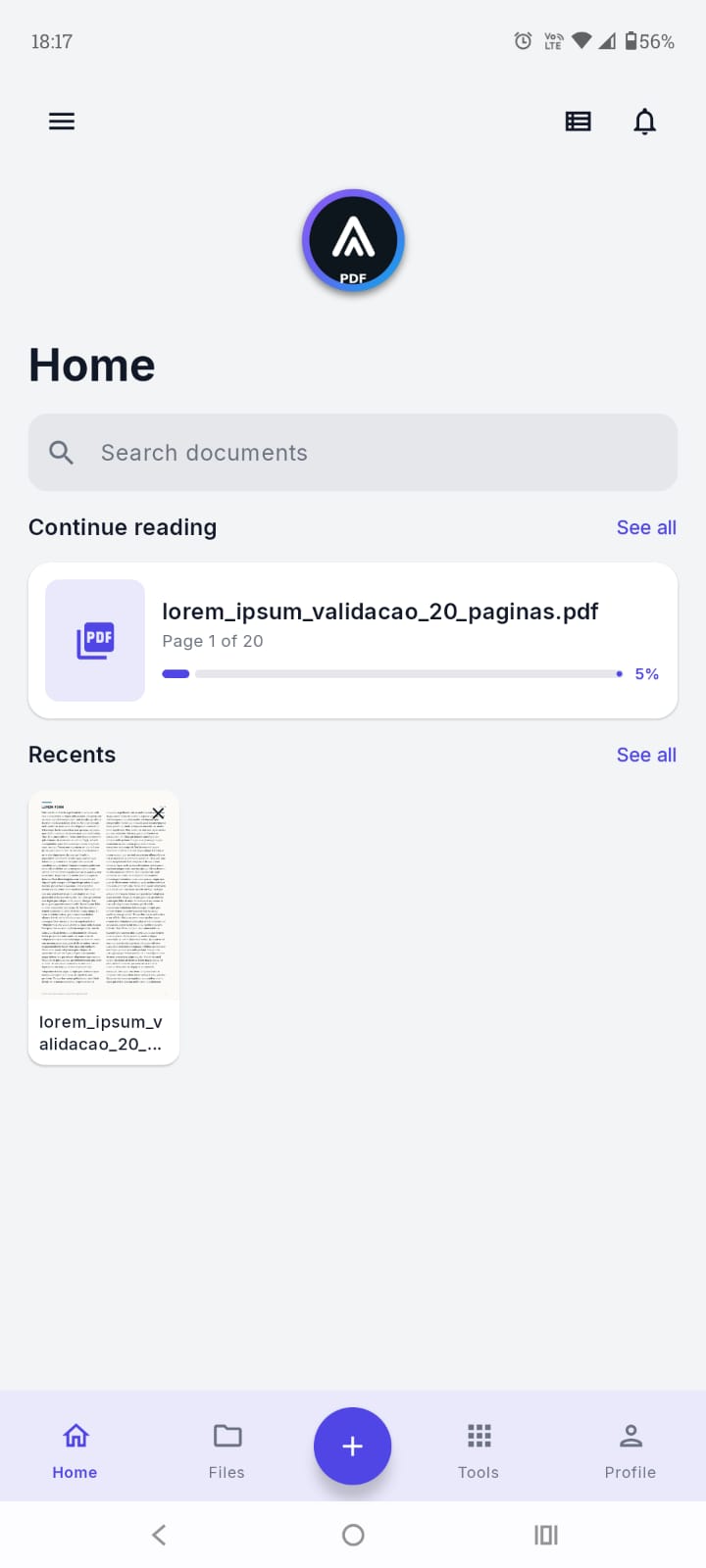
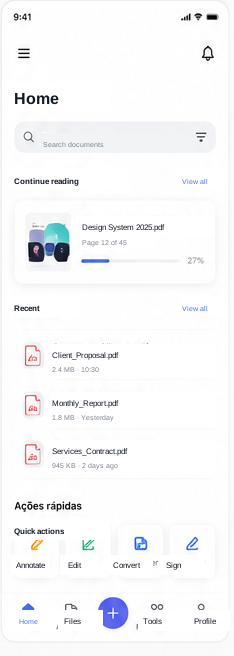
ArchPDF home screen with recent documents and quick tools
Privacy firstuploads only with your authorisation
+12PDF tools
READANNOTATESIGNCOMPRESSORGANISESCAN

01 / 05

FEATURES

Features.
Everything you need for PDFs, without ads or automatic uploads.

Everything you need for PDFs, without ads or automatic uploads.

01 / 01 · FREE × PRO

Free

Free

Read, search, protect, and organize documents from the first use.
  • Open and view PDFs
  • Zoom, search, table of contents, and page navigation
  • Copy text
  • Create bookmarks
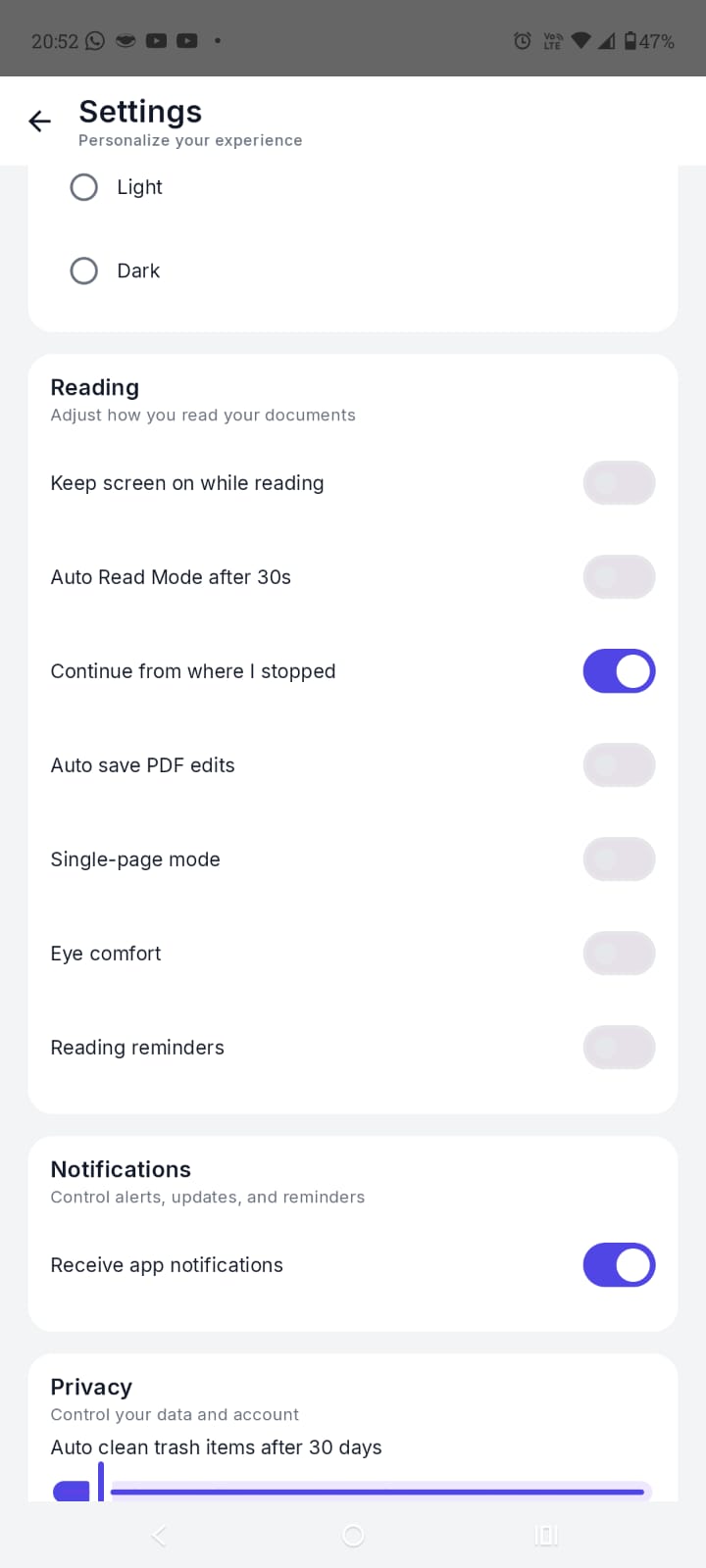
  • Continue reading where you left off
  • Share and print PDFs
  • Favorite documents
  • Save documents for offline use
  • Rename and move files
  • Search and sort PDFs by name, date, or size
  • Set ArchPDF as the default PDF reader
  • Use Trash and restore files for up to 30 days
  • View file details
  • Password-protect PDFs
  • Unlock protected PDFs
  • Read barcodes and QR Codes
  • Copy and share identified codes
  • Create and manage an account
  • Change your password and app settings
  • Use light, dark, or automatic themes
  • Receive app reminders and notifications

PRO

Pro

Convert, annotate, sign, compress, scan, and organize with advanced tools.

  • Edit and annotate PDFs
  • Draw, highlight, and insert text
  • Sign PDFs
  • Create and reuse signatures
  • Fill PDF forms
  • Reorder, rotate, and remove pages
  • Merge multiple PDFs
  • Split PDFs
  • Convert PDF to images
  • Convert images to PDF
  • Create PDFs from text
  • Convert Word to PDF
  • Convert PDF to Word
  • Convert PDF to EPUB
  • Convert PDF to MOBI
  • Compress PDFs
  • Add text or image watermarks
  • Extract text with OCR
  • Create searchable PDFs
  • Scan documents with the camera
  • Use text reflow
  • Access files in the cloud
  • Upload, download, share, and delete cloud files
  • Sync documents across devices

02 / 05

THE PRODUCT

The product

A clear interface for finding, reading, and acting without endless menus.

01 — LIBRARY

Everything starts organised

Continue where you left off, find recent files, and reach your most-used tools from the home screen.

  • Recents and favourites
  • Quick actions
Tela inicial atualizada do ArchPDF com continuar lendo, recentes e navegação principal
02 — READER

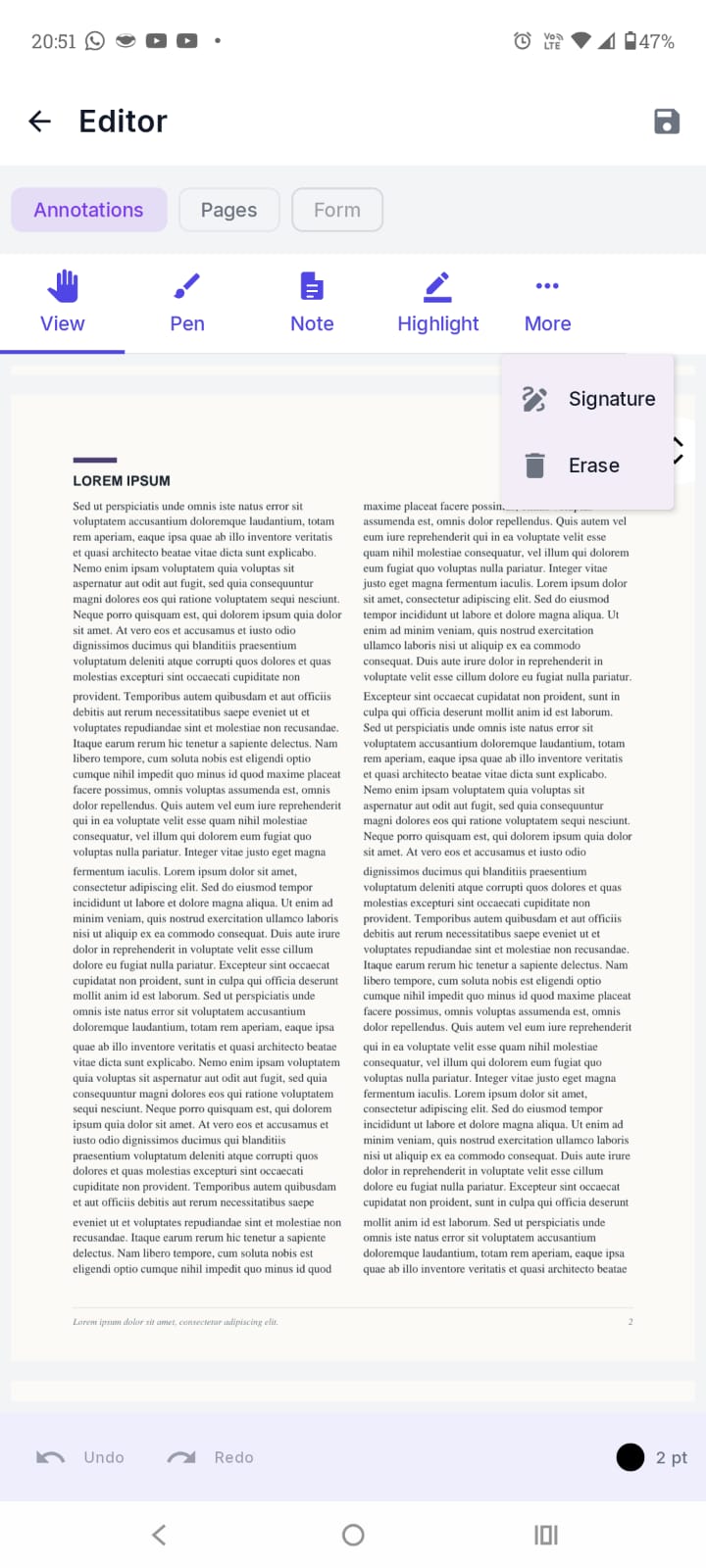
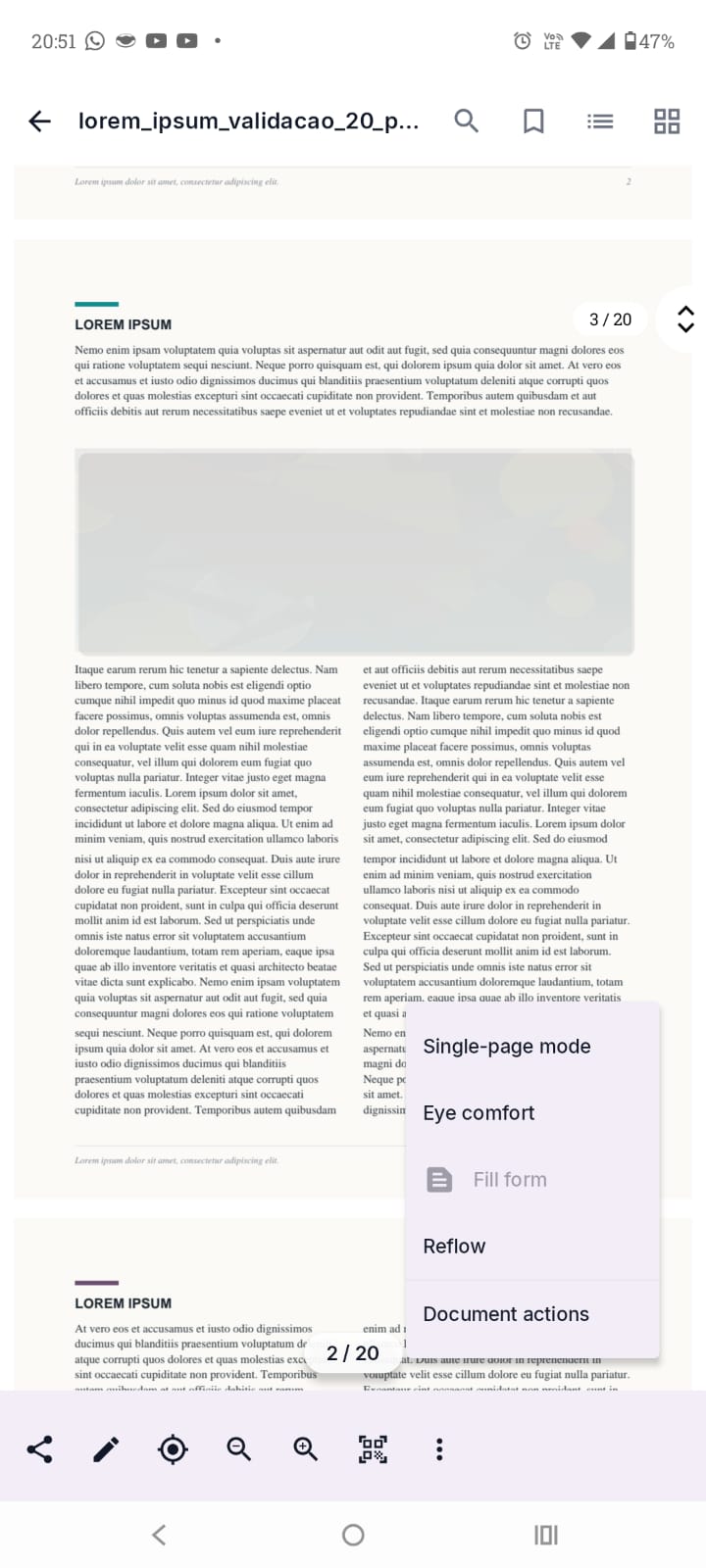
Distraction-free reading

Navigate your document, search content, and adjust the view while keeping important actions close.
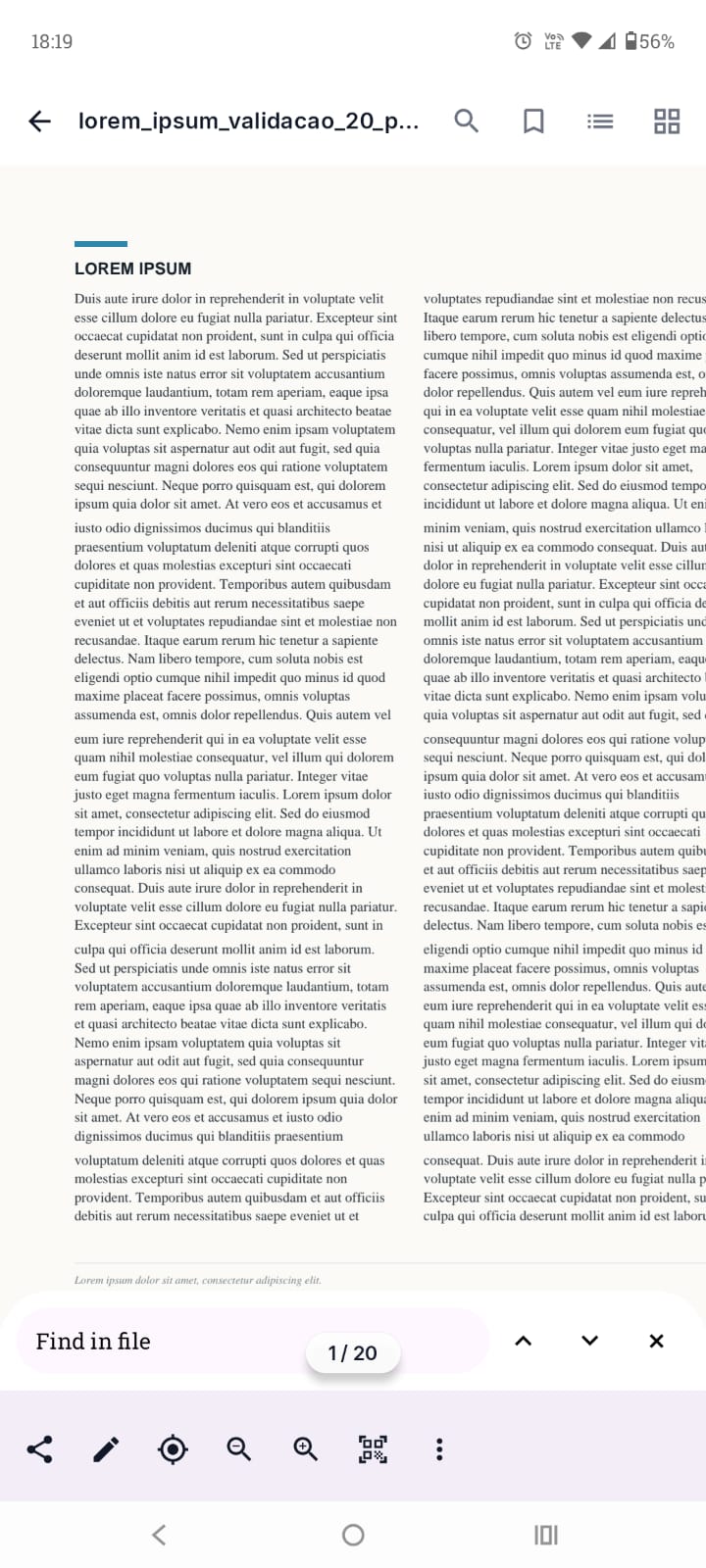
  • One or two pages
  • Dark theme
Modo leitura do ArchPDF com busca no documento e barra de ações
03 — ACTIONS

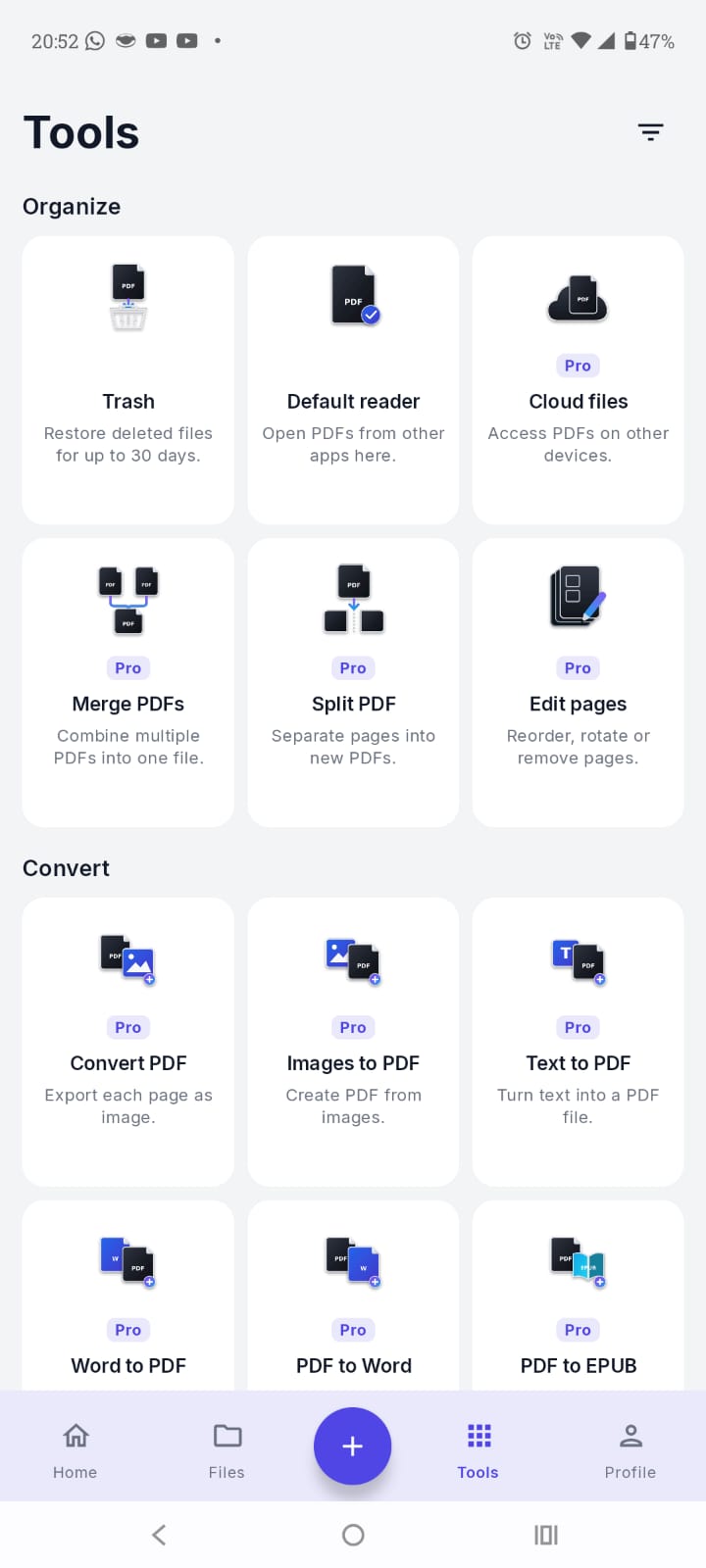
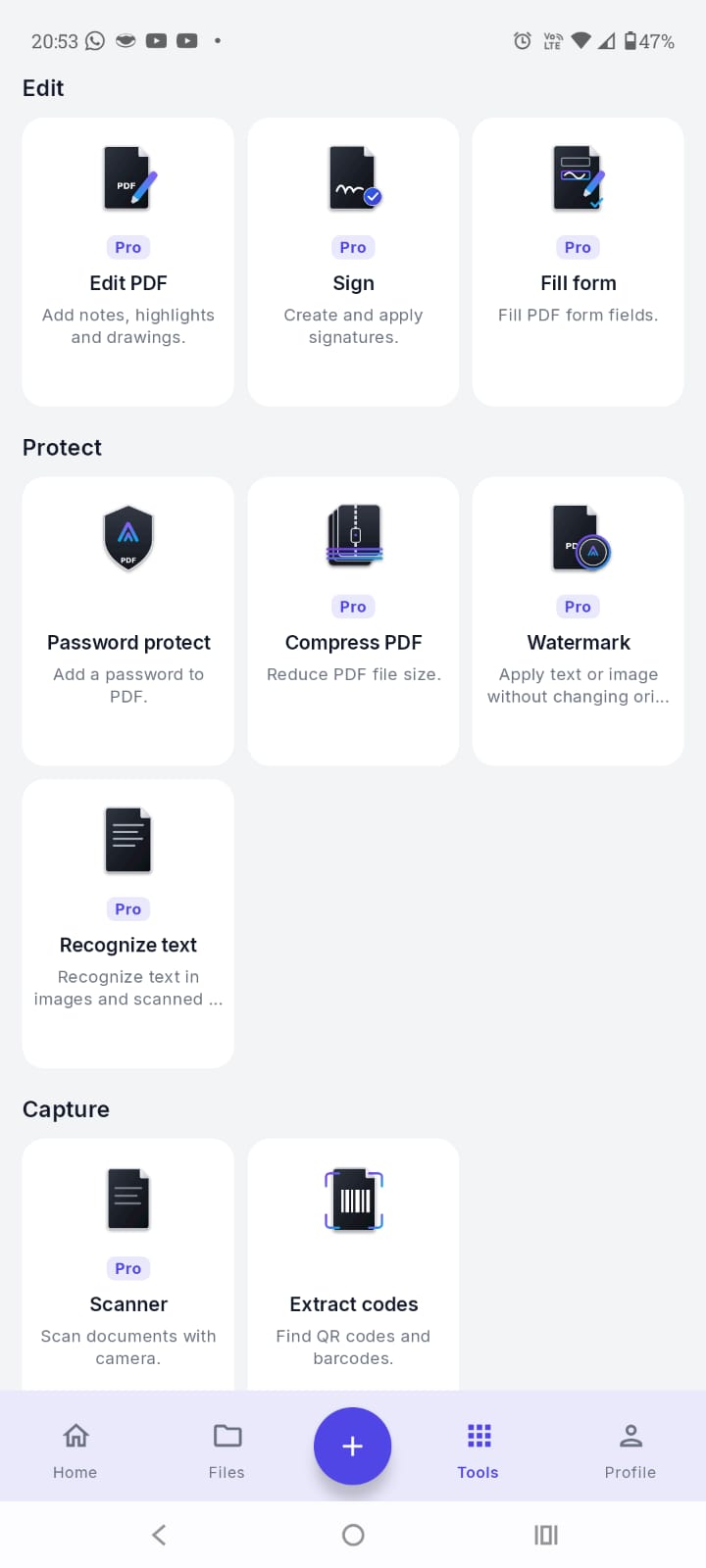
The right tool, right when you need it

Share, convert, protect, print, or reorganise a PDF without relying on external services.
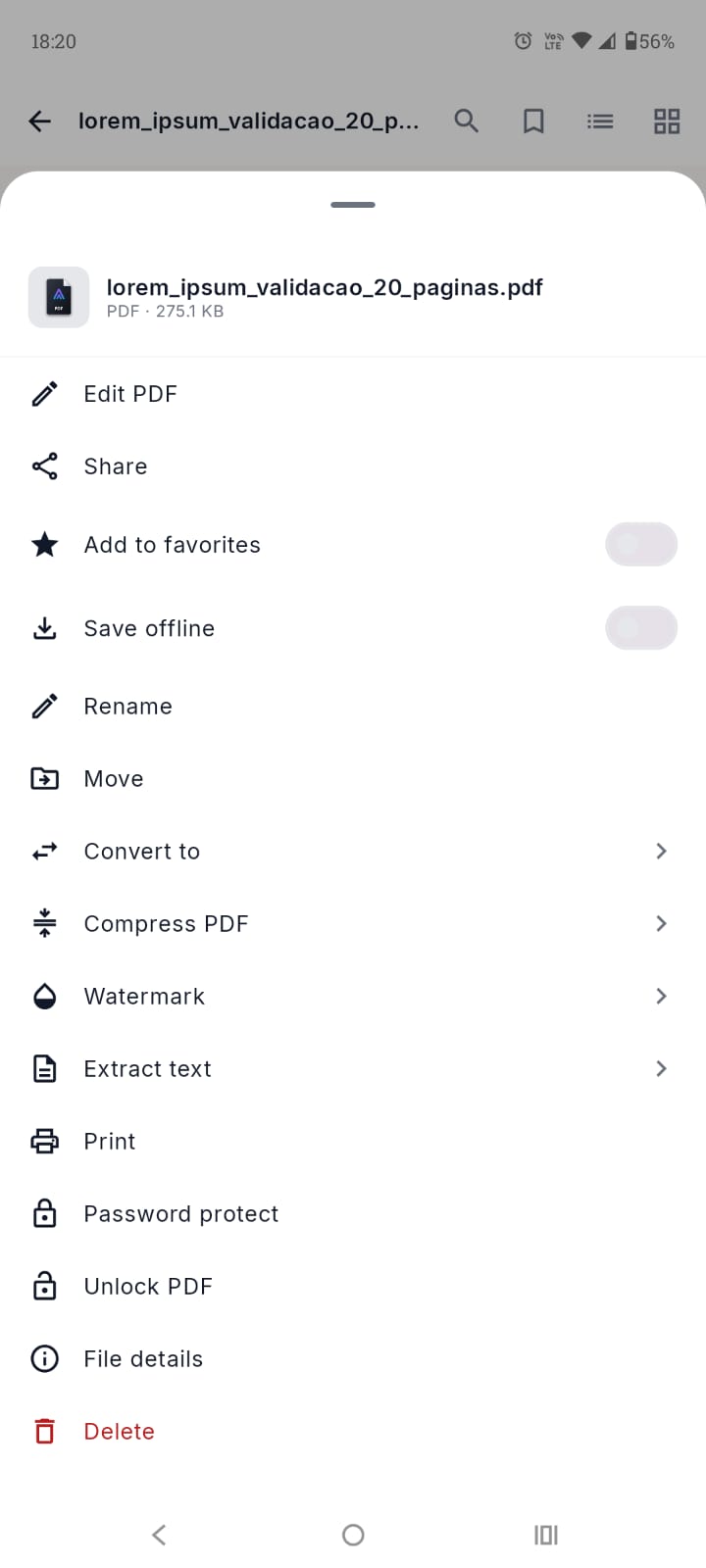
  • Conversion and protection
  • Page organisation
Menu de ações do documento no ArchPDF com edição, conversão, compressão e proteção

04 / 05

PRIVACY FIRST

Privacy first.
Read, edit, sign, and organize documents on your device.

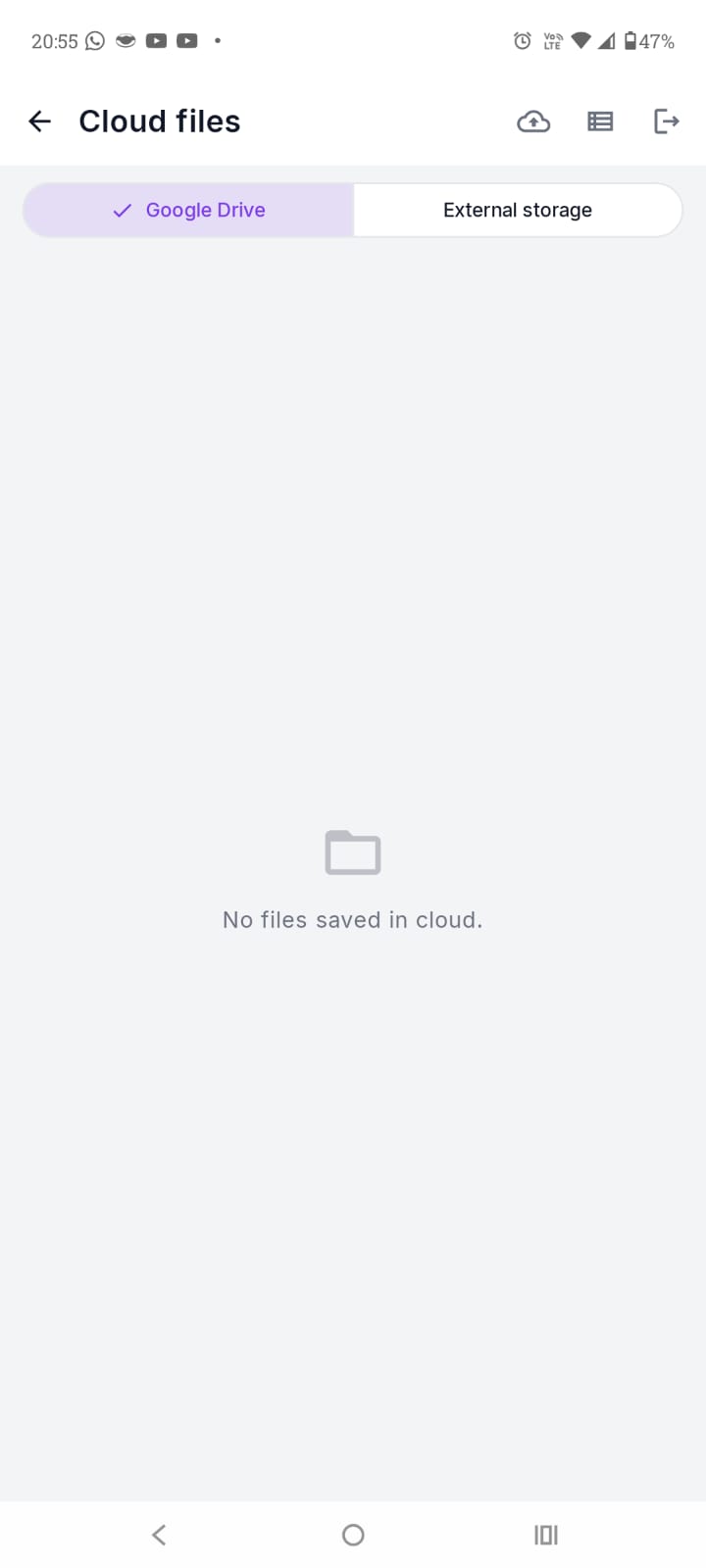
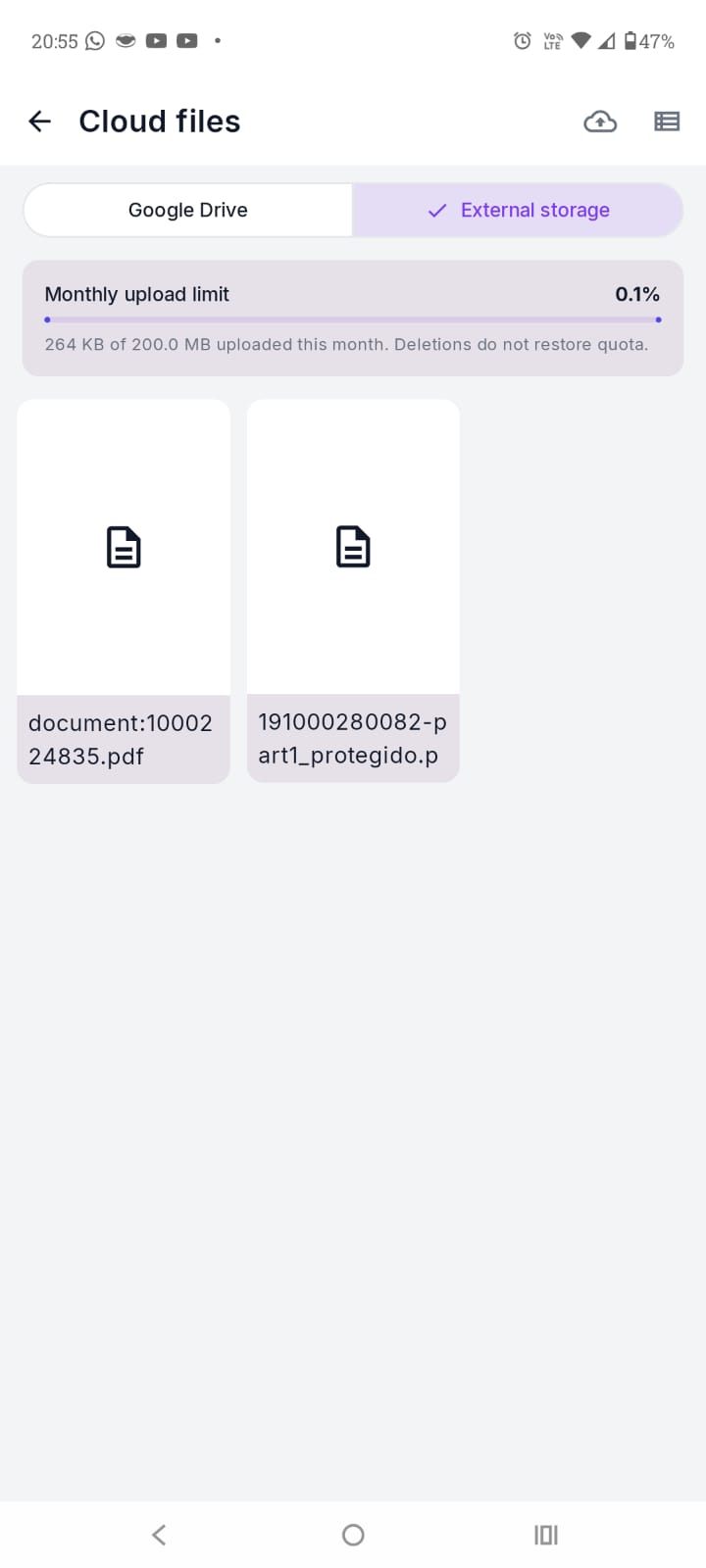
Operations happen locally by default. Files are sent to Google Drive or External Storage only when you authorize it.

Privacy first
Privacy first
Processing
Local by default
External Storage
Available by plan
Ads
None
Tracking
None
Google Drive
Optional and authorised
External Storage
Available by plan

Operations happen locally by default. Files are sent to Google Drive or External Storage only when you authorize it.

05 / 05

ARCHPDF PRO

Pricing

Start free and unlock Pro when you need advanced tools.

01

Daily

Prepaid

Pro access for 24 hours. External Storage uploads are unavailable.

US$ 0.4924 hours
View on Google Play

02

Monthly

75% off first month

Introductory offer for one month. The regular price is shown below.

US$ 2.99per month
View on Google Play

04

Lifetime

25% off

One purchase with no automatic renewal.

US$ 9.99one-time payment
View on Google Play

Google Drive uses your Google account quota. External Storage limits renew monthly according to your plan.

Manage your plan when you need to Monthly and annual subscriptions renew automatically and can be cancelled in Google Play. Daily and lifetime purchases do not renew automatically. Terms of Use

READY FOR YOUR NEXT DOCUMENT?

Ready for your next document?

Get ArchPDF
Get ArchPDF · Google Play